GTA 6 Melee Combat: How to Block, Dodge and Grapple
How to fight in GTA 6 on PS5 and Xbox: punch, heavy attack, block, dodge, grapple and take cover, plus the 6 melee weapons listed so far.
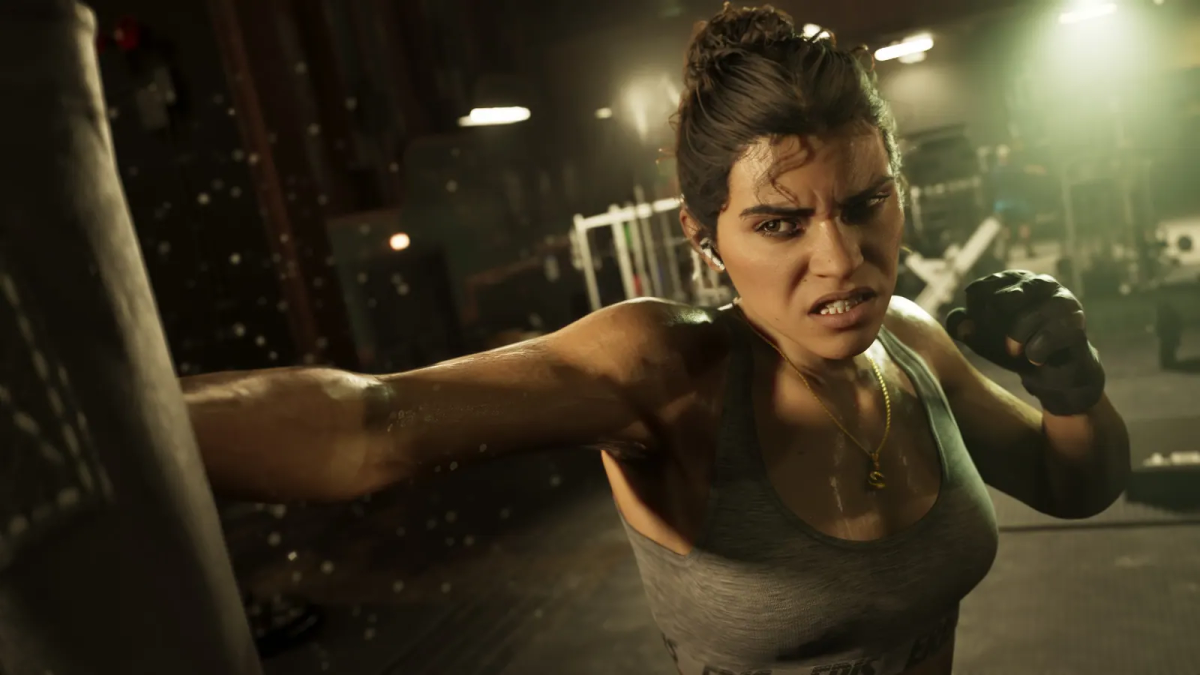
Quick answer: on GTA 6’s default control scheme, punch/kick is Square (PS5) or X (Xbox), and a heavy attack is holding that same button. Block is holding Cross (PS5) or A (Xbox). Dodge and counter work by tapping that same button just before an enemy’s hit lands. To grapple, hold R2 or RT. Cover is R1 or RB.
The buttons are for the default scheme as listed on November 21, 2026, two days after launch. A different scheme or a patch can change any of this.
Combat buttons (default scheme)
| Action | PS5 | Xbox |
|---|---|---|
| Punch / Kick | Square | X |
| Heavy Attack | Hold Square | Hold X |
| Lock-On / Strafe | Hold L2 | Hold LT |
| Grapple | Hold R2 | Hold RT |
| Follow-Up Attack, while grappling | Square | X |
| Put in Vulnerable Position, while grappling | Hold Square | Hold X |
| Block | Hold Cross | Hold A |
| Counter / Dodge | Tap Cross just before the hit | Tap A just before the hit |
| Grab Enemy, from behind | Hold R2 | Hold RT |
| Stealth Takedown, while grabbing | Tap Square | Tap X |
| Throw Object | R2 | RT |
| Quick Swap Weapon | Triangle | Y |
| Holster Weapon | L1 | LB |
| Loadout | Hold L1 | Hold LB |
The action names are the ones the source uses, as the guides give them.
How to block and counter
- To block, hold the button (Cross on PS5, A on Xbox).
- To dodge or counter, tap the same button in the instant before the hit. The exact timing window is not given, so only practice teaches the rhythm.
Block and dodge share one button: holding protects, a well-timed tap reacts. If you want a more comfortable fight, look at the Accessible Combat option in the game’s settings; it changes the challenge of fights.
Grapple and Stealth Takedown
- Grapple: hold R2/RT. With the enemy held, Square/X is the follow-up attack, and holding Square/X puts them in a vulnerable position.
- From behind: hold R2/RT to grab. With the enemy held, a tap on Square/X is the Stealth Takedown.
The guides do not say what each finish does afterward, or whether the target has to be unaware of you.
Cover
| Action | PS5 | Xbox |
|---|---|---|
| Take and leave cover | R1 | RB |
| Move Around Corner, while in cover | Cross | A |
| Crouch | Circle | B |
Crouching while aiming uses the same button. On the Classic scheme, Run and Crouch swap places, so check the controls menu. For the other buttons, see GTA 6 controls. Slow-motion aiming is covered in Focus.
Melee weapons listed
One weapons guide lists six melee weapons: Baseball Bat, Crowbar, Golf Club, Hammer, Knife and Pool Cue. With no weapon, you fight with fists.
Do not assume they all behave alike: the list does not describe strikes, finishers or uses in the environment (opening doors, for example), so treat each weapon as unknown until you try it. For firearms, see GTA 6 weapons and weapon prices and stores.
What we still do not know
- Damage from strikes and melee weapons, combos and attack order.
- Which weapons have their own finishers.
- Where to find or buy each melee weapon.
- Whether Jason and Lucia fight differently.
- The fighting buttons on the Classic and Left-Handed schemes.
FAQ
What is the block button in GTA 6? On the default scheme, hold Cross on PS5 or A on Xbox.
How do I dodge? Tap the block button just before the enemy’s hit. The timing window is not given.
How do I grapple an enemy? Hold R2 (PS5) or RT (Xbox). From behind, the same input followed by a tap on Square/X is the Stealth Takedown.
Which melee weapons exist? Six are listed: Baseball Bat, Crowbar, Golf Club, Hammer, Knife and Pool Cue, plus fists.
Does fighting attract the police? The guides do not cover it. To see how the police react, read how to lose the cops.
Updated November 21, 2026. If a patch changes the buttons or combat, this page will be revised.
Sources: this article brings together GTA 6 information from specialized sites and outlets. Credits: GTABase, Games.gg.