GTA 6 Photo Mode: Photo Studio Shortcuts and Save Location
GTA 6 has a photo mode called Photo Studio: open it from the pause menu, hold the button to save, find shots in your console gallery. No Director Mode.
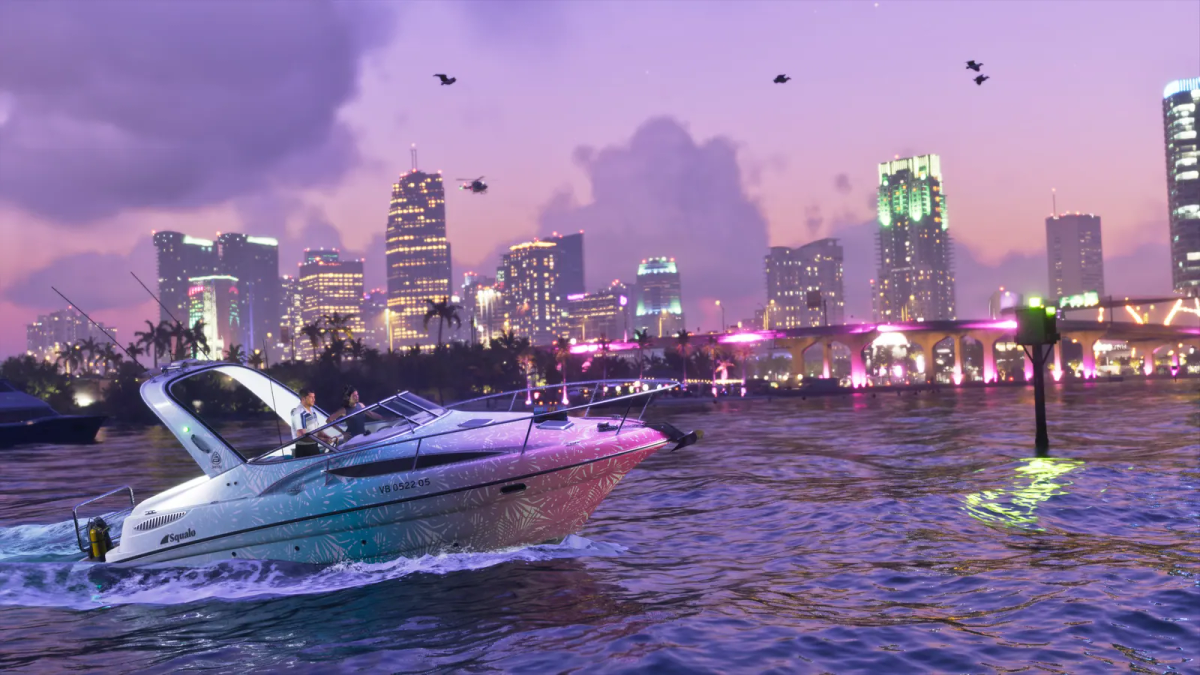
Quick answer: yes, GTA 6 has a photo mode, and it is called Photo Studio. Pause the game and open it from the menu list or with the shortcut: Square on PS5, X on Xbox. To keep the picture, hold the save button (the cross button on PS5, A on Xbox). The shot goes to your console’s own gallery, not to Jason’s or Lucia’s phone. Player guides indicate GTA 5’s Director Mode isn’t here.
The shortcuts come from player guides published between November 18 and 20, 2026, and a patch can change them. Tool and menu names are given in English; the game may label them differently in other languages.
Open it and save: step by step
| Step | PS5 | Xbox Series X|S |
|---|---|---|
| Pause | Options | Menu |
| Open Photo Studio | Square (or pick it from the list) | X (or pick it from the list) |
| Save the photo | Hold X (cross) | Hold A |
| Find the picture later | Media Gallery app | Captures library |
- Get to the scene you want. Photo Studio does not change weather or time of day (see below), so the scene has to be ready before you pause.
- Pause and open Photo Studio with the shortcut in the table.
- Frame the shot: the sticks move and tilt the camera, and the triggers handle zoom.
- Tweak the image (list below).
- Hold the save button until the game confirms. On Xbox a “Screenshot saved” notice appears. A quick tap does not save, which makes it the first suspect when a photo goes missing.
What you can adjust
| Setting | What it changes |
|---|---|
| Aspect ratio | The frame shape: wider or squarer |
| Field of view | How much of the scene fits in the shot |
| Exposure and contrast | Overall brightness and the gap between lights and darks |
| Aperture and depth of field | What stays sharp and what blurs |
| Color palette, filters and vignette | The mood of the image and the darkening at the edges |
| Extra lights | Studio-style lighting added to the scene, with adjustable color and intensity |
The table gathers the settings players have reported so far; there may be more controls.
What you cannot change
- Weather and time of day. Want a sunset shot? Wait for the game to get there. The day-night cycle is covered in GTA 6 day and night.
- Jason’s and Lucia’s poses and expressions. You pick the angle, not what they do.
- Cutscenes. Photo Studio opens, but with fewer effects unlocked. Blocked controls show as unavailable.
Where the photos go
- PS5: the Media Gallery app. It is a separate entry on the console, not a folder inside GTA 6. If it is not on your home screen, scroll to the far right, open the game library and look for Media Gallery.
- Xbox: the Captures library. Press the Xbox button, go to Capture & share > Recent captures and open the GTA VI capture. From there you can upload it, set it as a background or delete it.
- In the game: Photo Studio pictures do not show up in the character’s phone Gallery.
Phone camera or Photo Studio?
| Phone camera | Photo Studio | |
|---|---|---|
| How to open | D-pad up, then the camera icon | Pause menu |
| Controls | Basic filters, flash, selfie and character poses | The detailed settings above |
| Where the photo ends up | Phone Gallery | Console gallery |
| Best for | A quick shot at the pace of play | A composed shot |
More on the rest of the phone in GTA 6 phone apps. Wondering whether you can publish a photo? Read GTA 6 Snapmatic. For the other buttons, see the controls, and to switch the in-game view, the GTA 6 camera.
Is there a Director Mode?
No, according to player guides. In GTA 5 that mode was a separate space where you controlled characters, picked where to start and placed props in the scene. In GTA 6 the nearest pieces are scattered around: switching between Jason and Lucia, calling a car from a contact, fast travel and Photo Studio itself. No player guide mentions a video editor like the Rockstar Editor.
What we still don’t know
- File resolution and format.
- Whether PS5 lets you edit or export a photo beyond what the media app already offers.
- The exact name of the capture app in the Xbox apps menu.
FAQ
Does GTA 6 have a photo mode? Yes, Photo Studio, available since launch.
How do I open photo mode on PS5 and Xbox? Pause and press Square (PS5) or X (Xbox), or pick Photo Studio from the menu list.
Why is my photo missing? Saving requires holding the button, and the image lives in the console gallery, not in the character’s phone.
Can I change the time of day in a shot? No. Weather and time stay as they are in the game.
Can I post the photo to Snapmatic? According to the guides, no. See the Snapmatic guide.
Updated November 21, 2026. If a patch changes shortcuts or where photos go, this page will be revised.
Sources: this article brings together GTA 6 information from specialized sites and outlets. Credits: Games.gg.